
Install with 1Panel (Community Supported)
For 1Panel installation instructions, see https://1panel.cn/docs/v2/installation/online_installation/.
Install ezBookkeeping
Log in to 1Panel, go to the "App Store:", search for "ezBookkeeping", and click "Install".
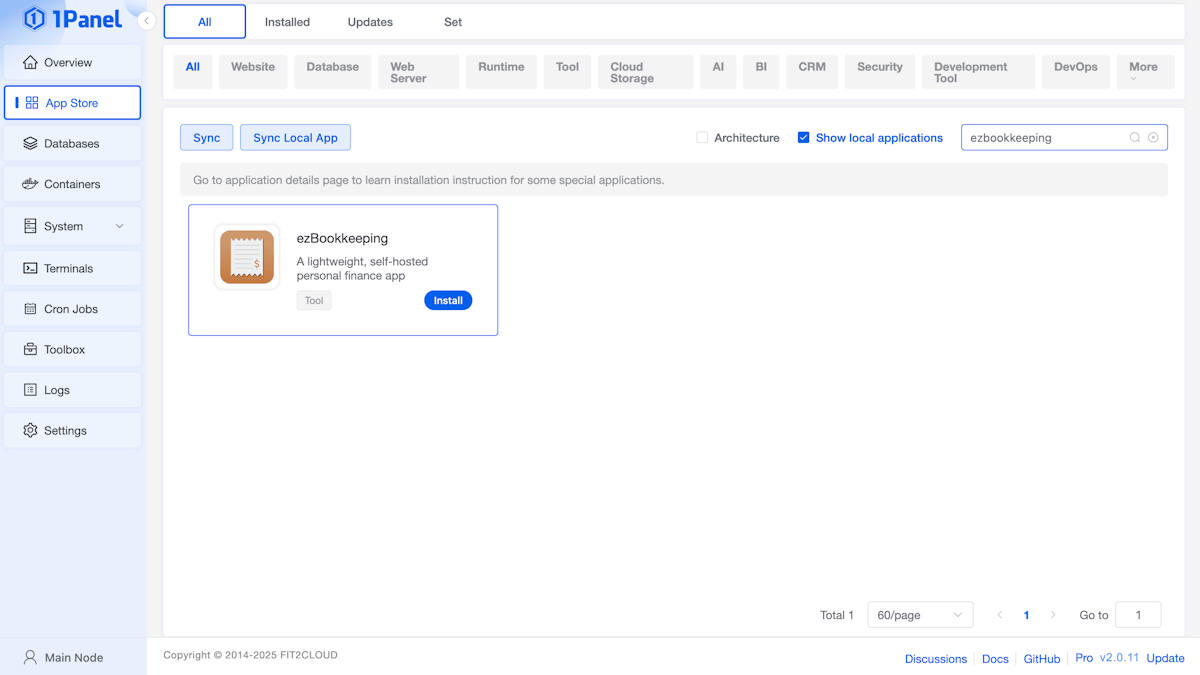
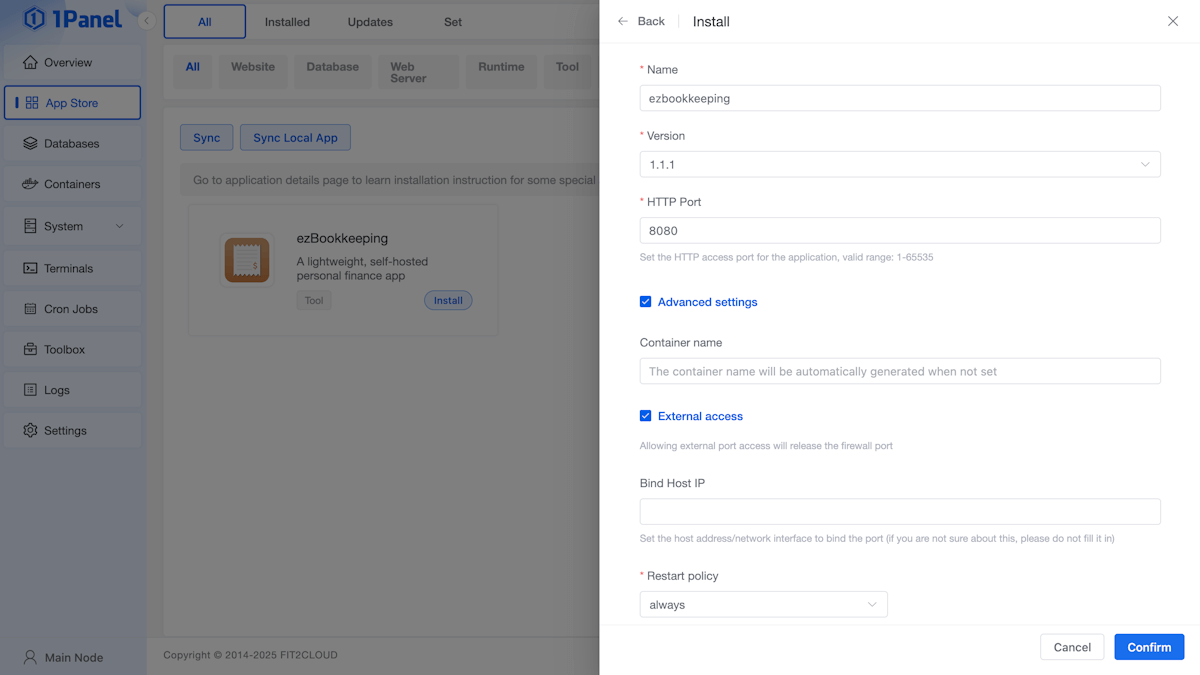
During installation, configure the following parameters according to your needs:
- "Version": Choose the latest stable version
- "HTTP Port": Default is
8080, can be changed if needed - "Advanced Settings": Optionally enable "External Port Access"
You can complete the installation using the "default configuration", or adjust it as required.
The ezBookkeeping instance installed via 1Panel uses sqlite3 as its database and is fully configured through the ezbookkeeping.ini configuration file.
The configuration file is located in the conf folder within the application’s installation directory. For more information, please visit the Configuration page.
Using ezBookkeeping
After installation, go to the "Installed Apps" page and click "Open" to access the ezBookkeeping "WebUI".
TIP
Before using, it is recommended to set the "default access address" in the "Panel Settings" page.